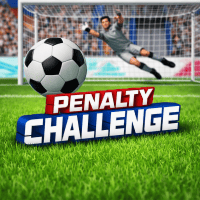
Penalty Challenge is a soccer game where you take penalty kicks and aim for the goal. Test your timing and accuracy as you shoot for victory.
Penalty Challenge puts you in the shoes of a striker facing a line of determined goalkeepers. The game captures the tension of a real‑world shootout with crisp graphics and responsive controls. Whether you are a casual player looking for a quick test or a competitor aiming for perfect scores, the title offers a clear path to improve your timing and precision.
Mastering the Penalty Arena
Core Mechanics
The heart of the game lies in a simple yet deep timing system. A power bar appears after you select your shot direction. Press the kick button at the optimal moment to deliver the ball with the right blend of speed and placement.
Scoring System
Points are awarded based on accuracy, power, and goalkeeper reaction. A perfect centre‑line strike nets the highest reward while a well‑placed corner earns bonus points for difficulty.
- Dynamic goalkeeper AI adapts to your patterns.
- Multiple ball skins add visual variety.
- Seasonal leaderboards track top performers worldwide.
- Replay mode lets you review and refine each attempt.
Game Modes and Progression
Career Path
Start as a rookie and advance through ten distinct stages. Each stage introduces faster keepers, tighter angles, and environmental effects such as rain or night lighting.
Challenge Levels
Special challenges test specific skills. One level focuses on low‑trajectory shots while another demands rapid successive kicks under a time limit.
- Tap or swipe to aim the ball.
- Hold the kick button to charge power.
- Release at the peak for maximum effect
- Use the back button to reset a shot before release.
Control Scheme
Touch Input
On mobile devices, a single finger controls the entire sequence. Drag to set direction, then tap and hold to fill the power meter.
Keyboard Shortcuts
For desktop play the arrow keys steer the ball, and the space bar handles power charge. Press space again to fire.
- Arrow left or right rotates the aim line.
- Arrow up or down adjusts the vertical angle.
- Space bar initiates and releases the shot.
- R key restarts the current round.
Step-by-Step Play Guide
Preparing Your Shot
- Select the desired corner using the aim indicator.
- Observe the goalkeeper’s stance for clues.
- Adjust the power bar to match the distance.
Executing the Kick
- Press and hold the kick control until the meter reaches the sweet spot
- Release smoothly to avoid overshooting.
- Watch the ball’s trajectory and learn from each miss.
Winning Strategies
Reading the Goalkeeper
- Notice early movement patterns to anticipate dives.
- Mix high and low shots to keep the keeper guessing.
- Exploit moments when the keeper appears less focused.
Power Management
- Use moderate power for close corners to increase accuracy.
- Reserve high power for shots aimed at the far post
- Practice the timing of the power bar to reduce wasted energy.
Games You Might Also Enjoy
If you like the tension of Penalty Challenge, you may also appreciate Tap Tap Shots, Retro Bowl and Soccer Random. Each title offers a unique twist on the classic penalty format while retaining the quick‑play feel.